GDPR software: what it is, how it works, and how to choose the right solution

In this guide, you’ll learn how GDPR software supports compliance, and which features matter when choosing a solution. We’ll also explore when manual compliance becomes risky, how different teams use these platforms, and what a mature GDPR compliance program looks like in practice.

framework_GDPR_pillar_en

GDPR software: An introduction

Organizations process more personal data than ever before. Customer records, employee information, marketing analytics, and vendor databases all contain data that falls under the General Data Protection Regulation (GDPR)

For many companies, managing these obligations with spreadsheets or scattered documentation quickly becomes overwhelming. Compliance requires structured processes, documented decisions, and clear accountability across departments. 

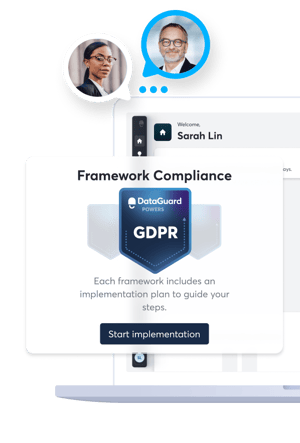
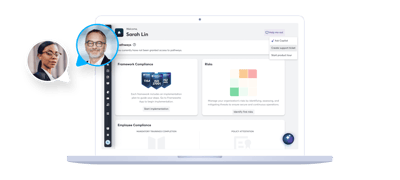
This is where GDPR software comes in. A dedicated platform centralizes privacy governance, manages compliance workflows, and demonstrates accountability to regulators. Instead of chasing documents across teams, you gain a clear view of how personal data flows through operations. 

This guide explains what GDPR software is, what problems it solves, and how to choose the right solution for your organization.

What is GDPR software? 

GDPR software refers to a digital platform that helps organizations manage and document their compliance with the General Data Protection Regulation. Instead of relying on manual processes, the software structures privacy management activities across departments and systems.

Most organizations use GDPR software to track processing activities, manage data subject requests, document risk assessments, and maintain audit-ready records. 

Why do companies consider GDPR software?

At its core, GDPR software acts as a centralized compliance workspacethat helps them achieve goals like this: 

Having one digital space to manage GDPR compliance 
The software stores privacy documentation, policies, and compliance records in one secure environment. Teams avoid scattered files and inconsistent documentation practices. 

Centralizing documentation and accountability 
Every compliance activity connects to a responsible owner. This includes processing activities, vendor relationships, risk assessments, and internal policies. 

Preparing for audits 
When regulators request documentation, organizations can quickly export structured reports that show how they manage personal data.

What problems does GDPR software solve?

Many organizations begin their GDPR journey using spreadsheets and manual documentation. While this works at the beginning, it becomes difficult to maintain as operations grow. Here are some more specific examples: 

Manual spreadsheet tracking 
Spreadsheets often contain outdated records, conflicting versions, or missing updates. A dedicated platform tracks changes and ensures teams work with accurate information. 

Disconnected compliance workflows 
Legal, IT, HR, and marketing teams all interact with personal data. Without a central platform, each department often documents compliance separately. GDPR software creates shared workflows so teams collaborate within one system. 

Missed deadlines for DSARs or breach reporting 
GDPR sets strict timelines for responding to data subject access requests and reporting certain breaches. Software platforms provide reminders and workflow tracking so teams respond within the required timeframes. 

Lack of executive visibility
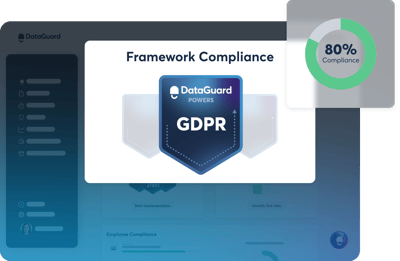
Leadership teams often struggle to understand the organization’s current compliance status. Dashboards and reporting tools give decision-makers a clear overview of risks, open tasks, and compliance progress.  

02_icta_top

Learn how a GDPR audit can protect your business and boost compliance


Discover how a GDPR audit helps identify data risks, improve compliance, and safeguard your business from fines.

Is GDPR software legally required? 

No article within the GDPR law states that companies must implement dedicated compliance software.

However, organizations must maintain records such as: 

  • Records of processing activities
  • Data protection impact assessments
  • Vendor agreements
  • Incident documentation
  • Policies and procedures

As the volume of documentation grows, manual management becomes increasingly difficult.

Software platforms help organizations maintain structured records and demonstrate compliance more efficiently. 

When do manual processes become risky?

Manual compliance methods often work in smaller organizations with limited data processing. As operations expand, however, risks increase.

Several factors accelerate this shift: 

Growing number of processing activities 
Each new product, department, or system often introduces additional personal data processing activities. Tracking these activities manually becomes difficult over time. 

Cross-border data flows 
Organizations operating across multiple countries must document international transfers and legal safeguards. These processes require detailed documentation. 

Multiple departments handling personal data 
Marketing teams manage consent records. HR teams process employee information. IT teams manage infrastructure and security controls. Coordinating compliance across departments requires centralized governance. 

Increased regulator or customer scrutiny 
Customers expect transparency around how organizations handle their personal data. Regulators may request documentation during investigations or audits.

Organizations that rely on spreadsheets often struggle to provide structured evidence quickly. 

How does GDPR software improve compliance compared to manual methods?

Many organizations begin with spreadsheets and shared documents when implementing GDPR processes. While this approach works initially, it becomes harder to manage as data processing activities grow.

GDPR software introduces structure and automation that manual tools cannot easily replicate.

What are the limitations of spreadsheet-based compliance? 

Spreadsheets offer flexibility but lack broader governance capabilities. Here are some common pitfalls that compliance teams report: 

  • No version control: Multiple teams editing separate files often create conflicting documentation
  • No automated reminders: Manual tracking makes it easy to overlook deadlines for requests or risk assessments
  • High human error risk: Small mistakes in documentation can lead to incorrect compliance records
  • Limited cross-team visibility: Departments often maintain separate documentation, which reduces transparency

What changes when compliance is centralized?

When organizations adopt GDPR software, they move from fragmented documentation to coordinated governance. Key improvements include: 

  • Clear ownership: Each compliance activity has a designated owner
  • Automated workflows: The platform routes tasks to the appropriate teams
  • Real-time status tracking: Compliance leaders can monitor progress through dashboards
  • Faster audit preparation: Documentation already exists in structured formats, which simplifies reporting

Manual vs software-driven GDPR compliance

Compliance activity Manual processes GDPR software
RoPA documentation Spreadsheet lists Structured processing register 
DSAR management Email tracking Email tracking
Risk assessments  Static templates Guided DPIA tools
Vendor management Contract folders Centralized vendor register 
Reporting Manual compilation Real-time dashboards


What features should GDPR software include? 

GDPR software platforms typically support several core compliance workflows. These capabilities help organizations manage privacy processes in a structured and consistent way.

How does GDPR software manage records of processing activities (RoPA)?

The GDPR requires many organizations to maintain a record of processing activities (RoPA). This document describes how personal data flows through the organization. GDPR software simplifies this process through features like this: 

Central processing inventory 
The platform stores all processing activities in a structured register. Each entry describes the purpose of processing, categories of data subjects, data recipients, and retention periods. 

Ownership assignment 
Organizations assign responsible owners for each processing activity. This ensures accountability across departments. 

Change tracking 
Modern platforms maintain version histories so organizations can track updates and maintain audit trails.

Leverage DataGuard’s intelligent, guided data mapping and RoPA flow for accurate and compliant documentation.    


How does it handle data subject requests (DSARs)?

Individuals have the right to access, correct, or delete their personal data under the GDPR.

Organizations must respond to requests within one month in most cases, and GDPR software supports this process through structured workflows.

  • Intake forms: Secure forms allow individuals or internal teams to submit requests directly into the system
  • Deadline monitoring: Automated reminders help compliance teams meet regulatory deadlines
  • Secure response documentation: The platform records each request, tracks the response process, and stores evidence that the organization fulfilled its obligations

Manage DSARs at scale with DataGuard’s centralized compliance platform. 


How does GDPR software support risk assessments and DPIAs?

When processing activities present higher privacy risks, organizations must conduct a Data Protection Impact Assessment (DPIA), which GDPR software can help structure.  

  • Guided risk scoring: The system provides structured questionnaires that evaluate potential privacy risks
  • Impact analysis workflows: Teams document how data processing could affect individuals’ rights and freedoms 
  • Mitigation tracking: Organizations record security measures and other safeguards that reduce identified risks

How does it manage vendors and data processing agreements?

Third-party vendors often process personal data on behalf of organizations, which is why GDPR requires organizations to maintain clear contracts and oversight mechanisms.

GDPR software can simplify vendor compliance through features like: 

  • Third-party register: The platform maintains a centralized list of vendors that process personal data
  • DPA tracking: Organizations store and manage Data Processing Agreements (DPAs) in one place
  • Risk categorization: Vendors can be classified based on their privacy and security risk level, which should be routinely reviewed and addressed if risk levels start to rise 

What reporting and dashboard capabilities matter?

Compliance efforts often span multiple teams and processes. Effective reporting tools should reflect that complexity and help organizations maintain visibility across a wide variety of activities.

Some useful examples include:

  • Executive overview: Dashboards show leadership teams the organization’s overall compliance posture
  • Audit exports: Teams can generate structured reports when regulators or auditors request documentation
  • Compliance status indicators: Visual indicators highlight open tasks, incomplete assessments, or overdue actions
05_icta_right

Take control of GDPR compliance with smart tools that save time


Navigate the future of compliance with automated GDPR tools (and save 40% of your workload while you’re at it...)

How do you choose the right GDPR software? 

Compliance teams often review several platforms before selecting a GDPR software solution. Choosing the right option depends on a clear understanding of your business requirements, technical constraints, and long‑term governance goals. 

What internal requirements should be defined first?

Before comparing vendors, it's best to define your own level of compliance maturity, to understand exactly what you need to work on and what features will best get you there.  

Here are some example questions to guide you: 

Compliance maturity level 
Organizations that are starting their GDPR journey may need guided workflows and structured templates. In contrast, more advanced compliance teams often prioritize advanced automation and reporting

Departmental involvement 
Many departments interact with personal data. Legal, IT, HR, and marketing teams should participate in evaluating the platform, or share which features would be most important to them. 

Existing security frameworks 
Organizations already working with frameworks such as ISO 27001 or NIS2 may prefer tools that align with these governance structures.

What security and hosting criteria should be evaluated?

Privacy software itself must be GDPR compliant and meet strong security requirements. Key topics compliance teams explore with software providers cover: 

  • EU data hosting: Many organizations prefer platforms hosted within the European Union to support data residency requirements 
  • Encryption standards: Platforms should support modern encryption practices for both stored data and data in transit 
  • Certifications: Security certifications help demonstrate the platform provider’s commitment to information security 
  • Access control models: Role‑based access control ensures that employees only access the information relevant to their responsibilities

How important is scalability and integration?

Organizations rarely manage privacy compliance in isolation. For best results, GDPR software should connect with existing business systems through features like:

What role does expert support play?

Software alone rarely guarantees successful GDPR implementation. Besides helping you  avoid unintended compliance breaches, expert guidance often accelerates software adoption and improves governance outcomes through services like: 

Onboarding assistance
Structured onboarding helps teams configure the platform, import existing documentation, or migrate data from legacy solutions.  

Regulatory guidance
Privacy professionals can help interpret GDPR requirements and translate them into operational workflows specific to your company. They can consult you through a range of scenarios, from foundational process changes to compliantly introducing a new tool for a specific department.  

Continuous compliance advice
Regulatory expectations evolve and laws keep being introduced or amended. Expert support helps you adapt your governance processes in response. 

Who typically uses GDPR software within an organization? 

Privacy compliance involves multiple departments, typically where teams need to align on how to handle personal data. The typical departments include Legal and Compliance, IT, Information Security, Marketing and HR.

How do Compliance or Legal teams use it?

Compliance and Legal teams typically coordinate the organization’s overarching GDPR program, setting the tone for the entire organization through policies and operational oversight.

They often use the platform to handle:

  • Documentation oversight: Privacy teams maintain the organization’s processing records, policies, and risk assessments
  • Audit reporting: When regulators or auditors request documentation, these teams generate structured reports directly from the platform 

How do IT and security teams use it?

IT and security teams manage the technical measures that protect personal data. They often use GDPR software to tackle:

  • Incident tracking: Teams document potential data breaches and track response activities 
  • Technical measure documentation: Security records and enforces encryption practices, access controls, and other safeguards

How do marketing and HR teams benefit? 

Marketing and HR departments also process personal data in daily operations, where consent management plays a crucial role.

GDPR software helps them manage tasks such as: 

  • Consent and preference management: Marketing teams track user consent and document lawful processing bases
  • Data retention automation: HR teams maintain employee data retention schedules and document deletion processes 

How much does GDPR software cost? 

Pricing varies depending on the provider, feature set, and organizational complexity. 

What pricing models are common? 

Most vendors use one of several pricing approaches: 

  • Per‑user pricing: Customers pay based on the number of users accessing the platform
  • Per‑organization subscription: Some vendors offer flat subscription pricing based on company size or a bespoke package
  • Tiered feature access: Advanced functionality such as integrations, analytics, or automation may appear in higher pricing tiers 

What factors influence ROI?

The value of GDPR software often extends beyond direct compliance, delivering benefits like: 

  • Reduced consultant hours: Internal teams manage compliance workflows more independently
  • Faster audit preparation: Structured documentation shortens preparation and response time
  • Lower regulatory risk: Organizations maintain clearer records and minimize chances of non-compliance cases
  • Reduced administrative burden: Automation replaces repetitive manual tasks, freeing up teams’ time to focus on broader, more strategic topics

Manual compliance cost vs structured governance

Factor Manual processes GDPR software
Documentation management Labor intensive Centralized and structured
Request handling  Email coordination Automated workflows
Audit preparation  Weeks of preparation Rapid report generation
Compliance visibility Limited Real‑time dashboards

What are the most common mistakes when implementing GDPR software? 

Organizations sometimes assume that purchasing a compliance platform automatically solves governance challenges. However, a tool without a clear policy on how to use it won’t make a noticable difference to your operations. To make any invesyment successful, we recommend combining technology with structured processes that steer clear of these common mistakes: 

Treating it as a tool, not a process: Organizations must define internal workflows and responsibilities so everyone knows how to make the most of the new software and make a tangible difference to the broader data privacy program.

Over‑customizing workflows: Extensive customization can complicate implementation and make the system difficult to maintain. Start simple with the most essential parts of your compliance program, and build up from there.

Failing to assign ownership: Each processing activity or compliance task should have a clearly responsible owner, who concentrates on guiding the entire organization on how to operate compliantly.

Ignoring staff training: Besides receiving training on how to maintain GDPR compliance, employees need guidance on how to effectively use the platform you’ve purchased. Otherwise, you risk features being used incorrectly or not leveraged altogether.

How does GDPR software align with other frameworks? 

Many organizations manage compliance across multiple regulatory frameworks, where the same task could fulfill multiple compliance responsibilities at the same time. Your chosen software should support you in this process, helping you tackle things once and automatically mapping your activities as audit evidence for different regulations.

How does it support ISO 27001?

Organizations implementing ISO 27001 often maintain documentation that overlaps with privacy compliance. For example:

Shared risk registers: Risk assessments for information security and privacy often connect to the same processes. 

Policy documentation: Many governance platforms allow organizations to manage policies for multiple frameworks in one environment.

How does it support NIS2 requirements?

The NIS2 Directive focuses on cybersecurity risk management and incident reporting. GDPR software can support several related activities. 

Incident tracking: Organizations document security incidents and track investigation progress.

Governance documentation: Teams maintain policies and procedures required by cybersecurity regulations that also keep personal data safe.

Can GDPR software support ISO 27701?

ISO 27701 extends ISO 27001 to include privacy information management and many privacy platforms align naturally with this framework.

One example feature common among GDPR software is a Privacy Information Management integration. With it, you can connect privacy documentation with existing information security governance structures.   

What does mature GDPR software implementation look like? 

Over time, organizations evolve from basic documentation to structured privacy governance, becoming more mature over time. Here are some milestones that teams tend to strive for: 

  • Centralized compliance governance: All privacy documentation lives within a shared governance platform
  • Continuous monitoring: Teams regularly update processing records, risk assessments, and vendor documentation
  • Executive dashboards: Leadership teams regularly monitor privacy risks through high‑level reporting
  • Audit‑ready documentation: Organizations maintain structured records that support regulator inquiries
  • Cross‑framework integration: Privacy compliance aligns with broader security and risk management frameworks 
10_icta_top

Get compliant. Manage risks. Simplify your compliance journey


DataGuard helps you get certified and compliant quickly with an all-in-one platform and expert support.

Frequently asked questions

Is GDPR software mandatory?

Can small businesses benefit from GDPR software?

Is cloud‑based GDPR software secure?

How long does implementation take?

Can multiple subsidiaries be managed centrally?

🏢 Organization Schema Preview (Development Only)
{
  "@context": "https://schema.org",
  "@graph": [
    {
      "@type": "Organization",
      "@id": "www.dataguard.com#organization",
      "name": "DataGuard",
      "legalName": "DataCo GmbH",
      "description": "DataGuard, the European leader in security and compliance software, is trusted by more than 4,000 organizations across 50+ countries. We help you identify and manage your security and compliance risks and fast-track your certifications and compliance by combining expert consultancy with AI-powered automation. Our purpose-built, all-in-one platform is developed with the experience of over 1.5 million total hours by a team of certified security and compliance experts.",
      "foundingDate": "2018",
      "taxID": "DE315880213",
      "logo": "https://7759810.fs1.hubspotusercontent-na1.net/hubfs/7759810/DataGuardLogo.svg",
      "url": "www.dataguard.com",
      "email": "info@dataguard.de",
      "telephone": "+49 89 452459 900",
      "address": {
        "@type": "PostalAddress",
        "streetAddress": "Sandstrasse 33",
        "addressLocality": "Munich",
        "addressRegion": "Bavaria",
        "postalCode": "80335",
        "addressCountry": "Germany"
      },
      "sameAs": [
        "https://www.linkedin.com/company/dataguard1/",
        "https://www.youtube.com/channel/UCEQzPZ6sCBCj9cAoBvaLL6w",
        "https://x.com/i/flow/login?redirect_after_login=%2FDataGuard_dg"
      ]
    }
  ]
}

✅ Organization schema markup for "DataGuard" has been injected into the document head.